
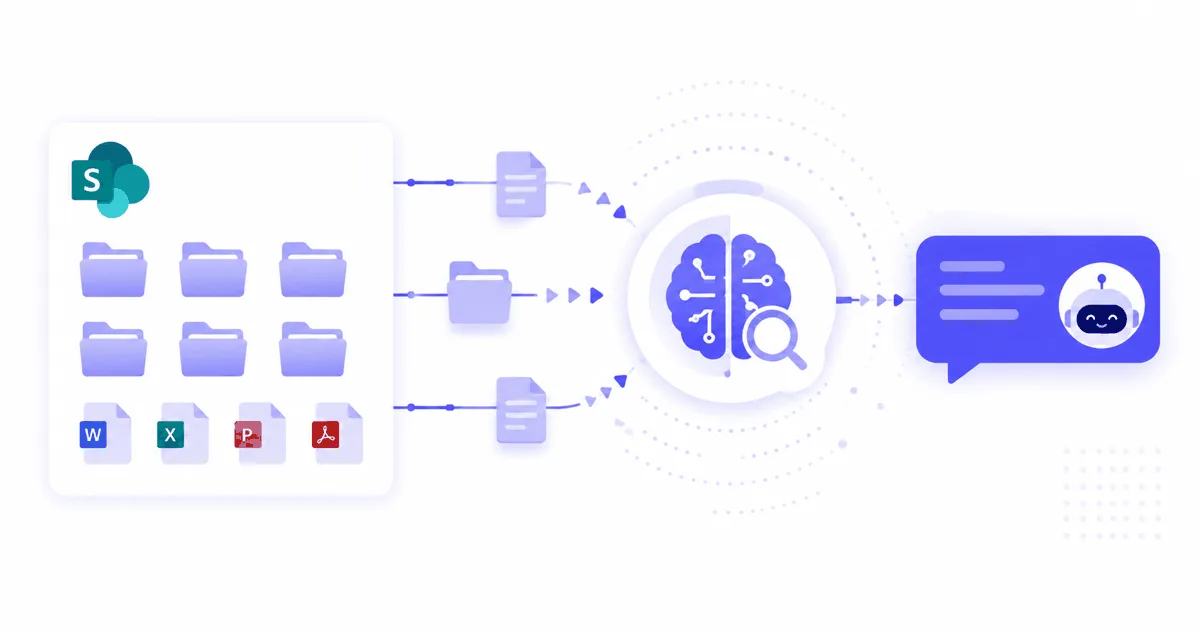
SharePoint is where enterprise knowledge lives. The problem is that it is also where knowledge gets buried. Employees cannot find what they need through search, so they ask colleagues or escalate to the team that owns the document. A RAG chatbot turns SharePoint from a file repository into a conversational knowledge base that employees can query in plain language.
Why SharePoint alone fails as an enterprise knowledge base
SharePoint search returns document lists, not answers. A RAG chatbot extracts the relevant passage and answers employee questions directly from your files.
SharePoint has over 200 million monthly active users across Microsoft 365 tenants and is used by approximately 80% of Fortune 500 companies. Despite this ubiquity, its search capability has a structural limitation: it is keyword-based and returns documents, not answers.
Three failure modes that a RAG chatbot resolves:
Search retrieves files, not passages. When an employee searches “parental leave entitlement,” SharePoint returns the HR policy document (20 pages). The employee reads the document to find the relevant section. A RAG chatbot extracts the specific passage and answers directly, with a link to the source.
Knowledge is siloed across sites and libraries. A single answer may require information from three different SharePoint sites: HR policies, legal procedures, and IT documentation. Native search does not synthesize across sites. A RAG chatbot with a unified index does.
Search fails on natural language. Employees ask “how many days off do I get when my child is sick?” not “employee absence policy child illness entitlement.” Keyword search struggles with natural phrasing; semantic RAG retrieval does not.
According to Gitnux’s 2026 SharePoint statistics, 55% of users already access SharePoint data through Microsoft Teams tabs, showing that the demand for SharePoint content surfaced inside existing workflows is already there. A RAG chatbot extends this to conversational Q&A.
How RAG connects to SharePoint without extracting your files
SharePoint RAG indexes documents via the Graph API, stores vectors separately, and queries only the index at retrieval time. Your SharePoint files are never copied.
The indexing pipeline:
Graph API authentication: the RAG platform registers as an Azure AD application with delegated or application permissions to read your SharePoint sites and libraries. No admin-level permissions are required beyond SharePoint read access (Sites.Read.All or Sites.Selected for specific sites).
Document crawling: the platform reads document content (PDFs, Word, PowerPoint, Excel, OneNote) from the configured SharePoint sites and libraries. Files are processed locally: content is chunked into segments of 400-700 tokens with overlap, then converted to vector embeddings.
Vector index: embeddings are stored in a vector database. This is the index the chatbot queries at retrieval time. Your SharePoint files remain in SharePoint and are never moved to the vendor’s storage.
Incremental re-indexing: updated documents are detected via SharePoint’s change notification API or delta queries, and the relevant chunks are re-indexed automatically on your configured schedule.
Your SharePoint data is never exported, duplicated, or moved. The integration reads content at indexing time and never writes to your SharePoint environment.
The three SharePoint integration methods: native connector, API, manual sync
For enterprise, the native Graph API connector is the only scalable option. Manual upload and custom API integrations add avoidable overhead for standard SharePoint deployments.
| Method | Setup | Maintenance | Best for |
|---|---|---|---|
| Native Graph API connector | No-code configuration | Automatic re-indexing | Production enterprise deployments |
| Custom REST API integration | Developer required | Developer required for updates | Organizations with non-standard access controls |
| Manual document upload | Drag-and-drop | Manual re-upload on every change | Pilots and proof-of-concept only |
For most enterprises, the native Graph API connector is the right choice. Configure it in the RAG platform dashboard by entering your SharePoint site URL and Azure AD tenant ID. The platform handles authentication, crawling, chunking, and re-indexing without developer involvement.
Custom API integrations are only justified when your SharePoint environment has non-standard access controls, requires custom metadata filtering, or uses SharePoint Server versions without full Graph API support. Avoid this path unless you have a specific requirement that the native connector cannot meet.
Manual upload is acceptable for a proof-of-concept with a small, static document set. It is not a viable approach for a production knowledge base where documents change regularly.
Access control: how SharePoint permissions carry through to the chatbot
Permission inheritance maps SharePoint groups to chatbot retrieval rules. Users cannot retrieve documents they cannot access in SharePoint.
Access control is the most important enterprise requirement for a SharePoint RAG chatbot. Without it, a chatbot indexing a SharePoint library surfaces confidential HR salary data to all employees, or legal documents to users without clearance.
Two implementation models:
Permission inheritance (recommended): the RAG platform queries SharePoint permissions for each document at indexing time and tags chunks with their access metadata. At retrieval time, the user’s identity (from SSO) is checked against the document’s permission metadata. Only chunks the user can access in SharePoint are included in retrieval results.
Role-based filtering: the platform administrator defines explicit rules mapping user groups (from Azure AD) to document libraries. Simpler to configure, less granular. Suitable when SharePoint permissions are not consistent or when the chatbot serves a subset of SharePoint content with uniform access rules.
For HR and legal content, permission inheritance is the only acceptable option. For general IT documentation open to all employees, role-based filtering is sufficient.
Verify this capability explicitly with your vendor before signing. Ask for a demonstration of the access control model and test it with a restricted document before go-live.
Deploying your SharePoint RAG chatbot on Microsoft Teams in 30 minutes
Configure the Graph API connector, set permissions, activate Teams, and validate with 20 test queries from your top SharePoint sites. Total: 30-60 minutes.
Step-by-step deployment:
Step 1: identify your top three SharePoint sites by document access volume. HR policies, IT procedures, and product documentation cover the majority of internal Q&A volume in most enterprises. Start with these three, then expand.
Step 2: register the RAG platform in Azure AD. Create an app registration with SharePoint read permissions. This takes five minutes in the Azure portal. The RAG platform documentation provides the exact permission scopes to request.
Step 3: configure the connector in the RAG platform dashboard. Enter your tenant ID and site URLs. Select the document libraries to index. Configure the re-indexing schedule: daily is standard for most enterprise knowledge bases; weekly is sufficient for rarely updated document sets.
Step 4: configure access control. Enable permission inheritance or define role-based rules for content that requires access restrictions. Test with a restricted document before activating for all users.
Step 5: activate the Microsoft Teams integration. In the RAG platform, generate the Teams bot manifest and upload it to your Microsoft Teams admin center. Employees interact with the chatbot directly from any Teams conversation, channel, or the Teams sidebar. No client software installation required.
Step 6: validate with production queries. Run 20 questions from recent IT tickets or HR requests. Verify that answers cite the correct SharePoint document and section, that permission filtering works correctly for restricted content, and that out-of-scope questions are declined cleanly.
For a broader guide on connecting Confluence alongside SharePoint, see how to connect SharePoint, Confluence, and PDFs to an AI agent.
SharePoint RAG chatbot vs Microsoft 365 Copilot: which fits your enterprise
Copilot needs M365 E3/E5 plus $30/user add-on. A SharePoint RAG chatbot works with any M365 tier and supports on-premise GDPR deployments Copilot cannot offer.
This comparison comes up in every enterprise procurement process once Microsoft 365 Copilot is on the table.
| Criterion | Microsoft 365 Copilot | SharePoint RAG chatbot |
|---|---|---|
| License prerequisite | M365 E3/E5 + $30/user/month add-on | Works with any M365 tier |
| Data sources | Full M365 suite (Teams, Outlook, SharePoint, OneDrive, emails) | Configurable: SharePoint + any document source |
| On-premise deployment | Not available | Available |
| GDPR / Cloud Act | US-hosted, subject to Cloud Act | EU-sovereign or on-premise option |
| Custom access control | Respects M365 permissions | Permission inheritance or role-based, configurable |
| Focused knowledge base | General productivity assistant | Dedicated to your document sources |
Copilot is the right choice when your organization is fully committed to the Microsoft 365 ecosystem, already has E3/E5 licensing, and primarily needs a general productivity assistant across the full M365 suite (drafting emails, summarizing meetings, searching across all M365 content).
A SharePoint RAG chatbot is the right choice when you need a dedicated knowledge base assistant for a specific use case (HR policies, IT procedures, product documentation), require on-premise or EU-sovereign deployment for GDPR compliance, or have employees who need to query SharePoint content without the full Microsoft 365 productivity suite prerequisite.
For European enterprises, Copilot’s US cloud hosting creates Cloud Act exposure that on-premise or EU-sovereign RAG deployments resolve. For a detailed analysis, see our on-premise AI chatbot GDPR guide for European enterprises.
GuardWeaver connects natively to SharePoint Online via the Microsoft Graph API, inherits SharePoint permissions at the document level, and deploys on Microsoft Teams without custom code. Available as SaaS hosted on OVH in France or as on-premise deployment for data sovereignty requirements. Connect your SharePoint and see a demo.